
Tutorial


How to add your website to our startpage exchange:


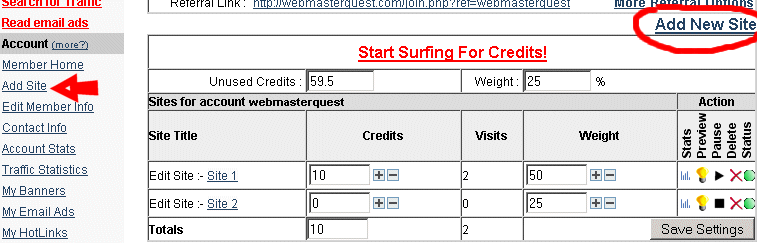
From the WebMasterQuest menu, click on the "Add Site " link or the "Add New Site" link (circled below). This will bring up the "Add new site" options.


- Add unlimited websites, under these conditions
  • A maximum of a single popup/pop under, or spawning window.
  • No popups that require clicking before you can leave your site.
  • The contents of each website must be in English.
  • No adult/illegal material thanks.
  • No hidden content

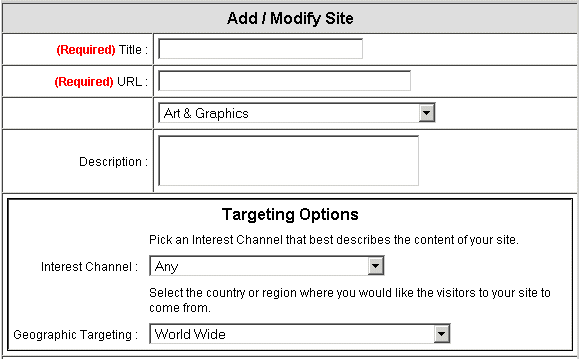
The "Add new site" menu requires you to provide a "Title" for your website, a URL (website address), and a selection from the Site Category drop box.

Choose a category that best describes your site, and focus your marketing.


Member Area Login

Can't Login?


Terms - Privacy - Contact
Copyright © 2001-2013 by WebmasterQuest.com